
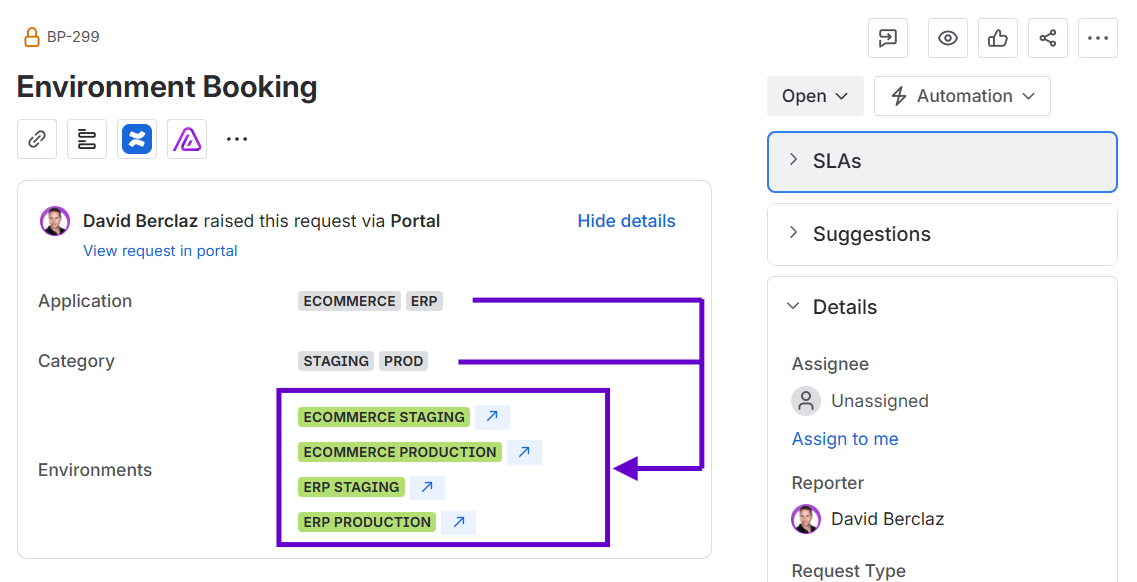
This guide covers a use case where Jira Automation is configured to automatically populate the Environments field whenever the Application or Category fields are updated.
Requirements
-
Golive Cloud must be installed on Jira Cloud.
-
Three custom fields must be added to your screen:
-
Application of type Apwide Golive Application
-
Category of type Apwide Golive Category
-
Environments of type Apwide Golive Environment
-
Important
This example is not compatible with Jira Data Center.
Configuration Steps
This is the setup in Jira Automation for Jira Cloud:
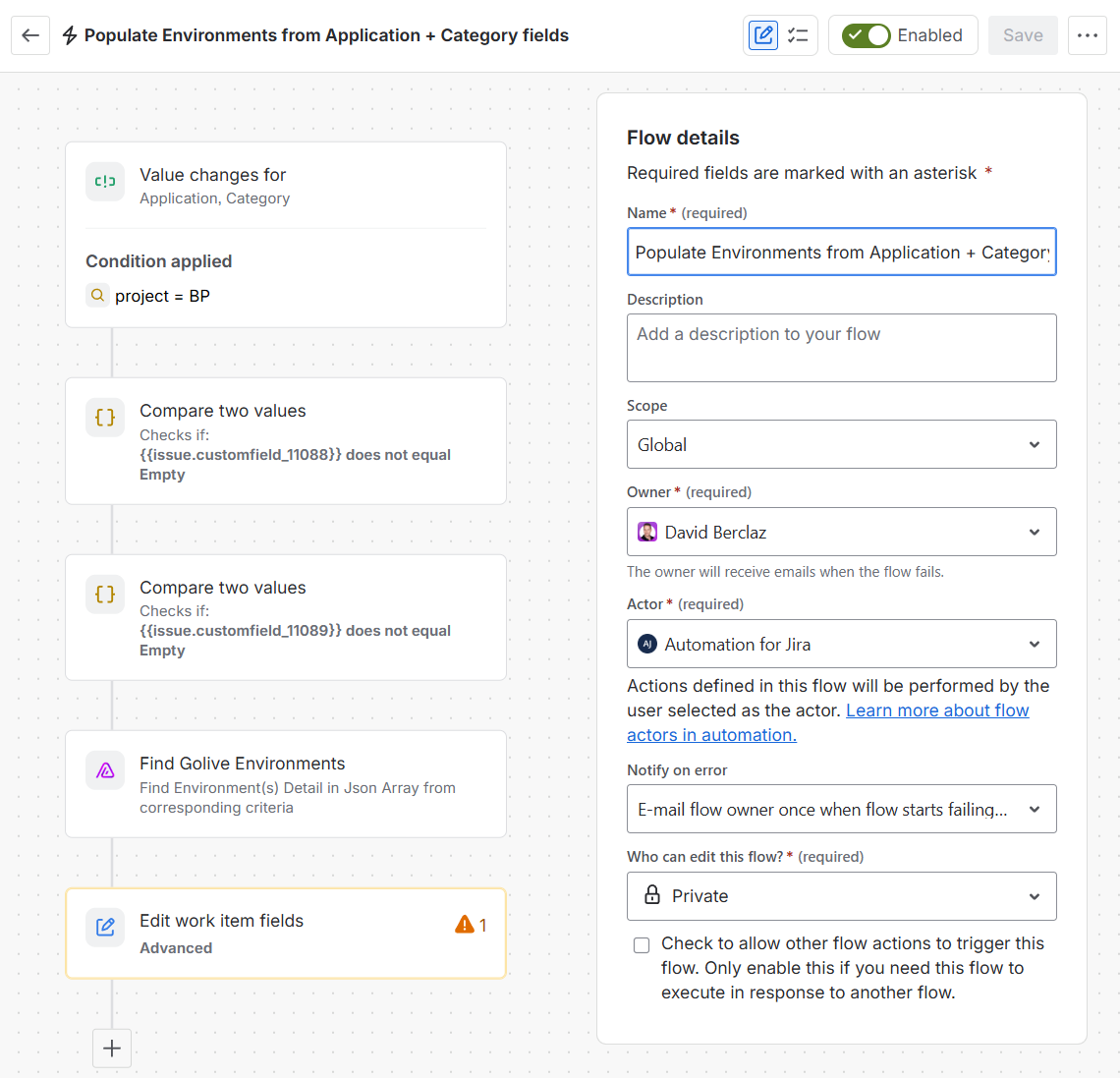
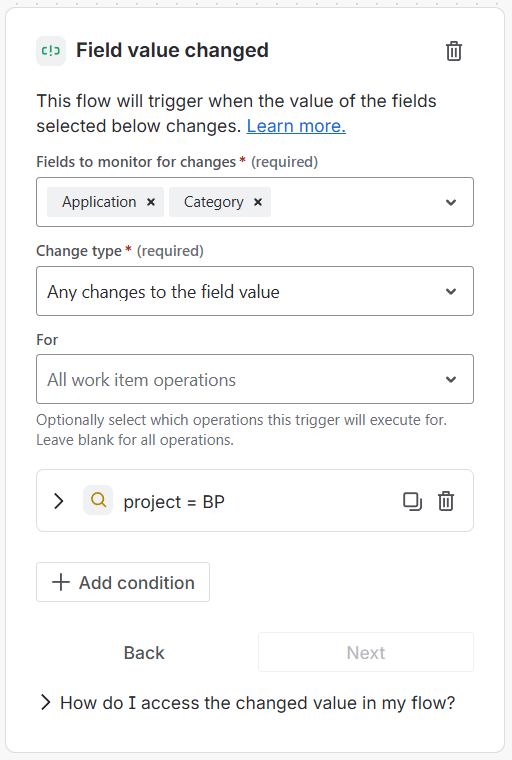
Trigger: Field Value Changed
This automation is triggered whenever the Application or Category custom fields are updated. You can specify any required additional criteria e.g. work type.
Condition: {{smart values}} condition
Add a condition to make sure your Application field is not empty.
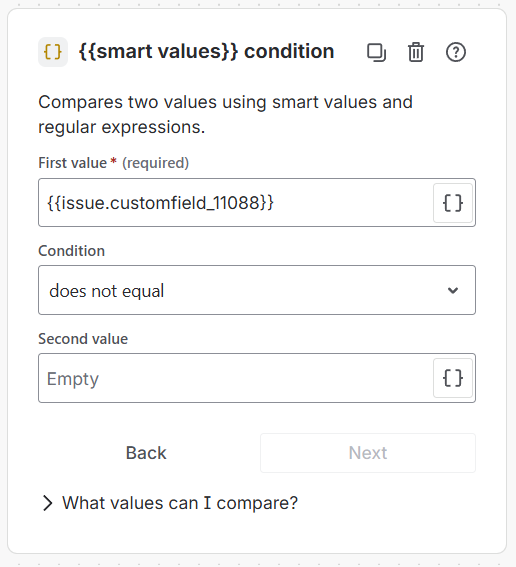
First value (use your own Application custom field ID)
{{issue.customfield_11088}}
Condition: {{smart values}} condition
Add a condition to make sure your Category field is not empty.
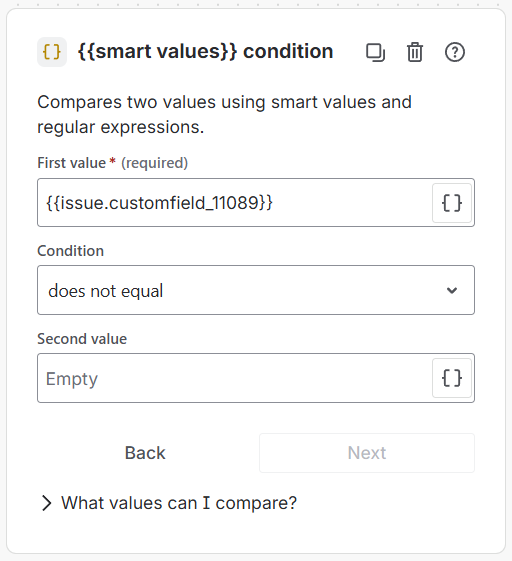
First value (use your own Category custom field ID)
{{issue.customfield_11089}}
Action: Find Golive Environments
Use the Find Golive Environments action to retrieve the corresponding environment IDs.
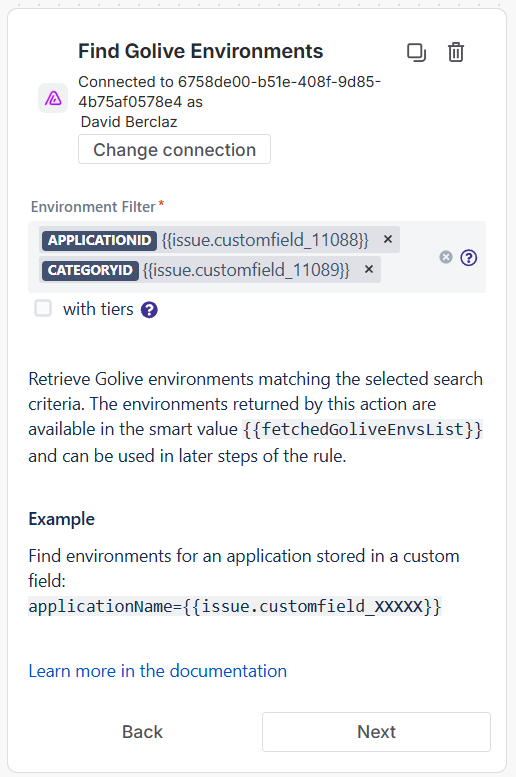
Environment Filter - First criteria
applicationId={{issue.customfield_11088}}
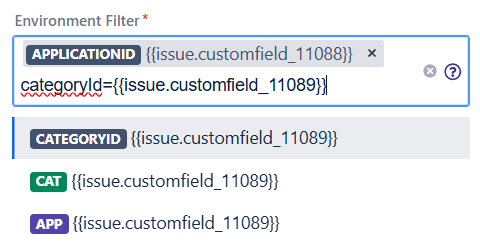
Environment Filter - Second criteria
categoryId={{issue.customfield_11089}}
Filters are case sensitive, make sure you use applicationId and categoryId (with capital i) and your own custom field IDs. You can specify also additional criteria if needed.
Action: Edit work item
Use the environment IDs retrieved from the Golive action to update the Environments field.
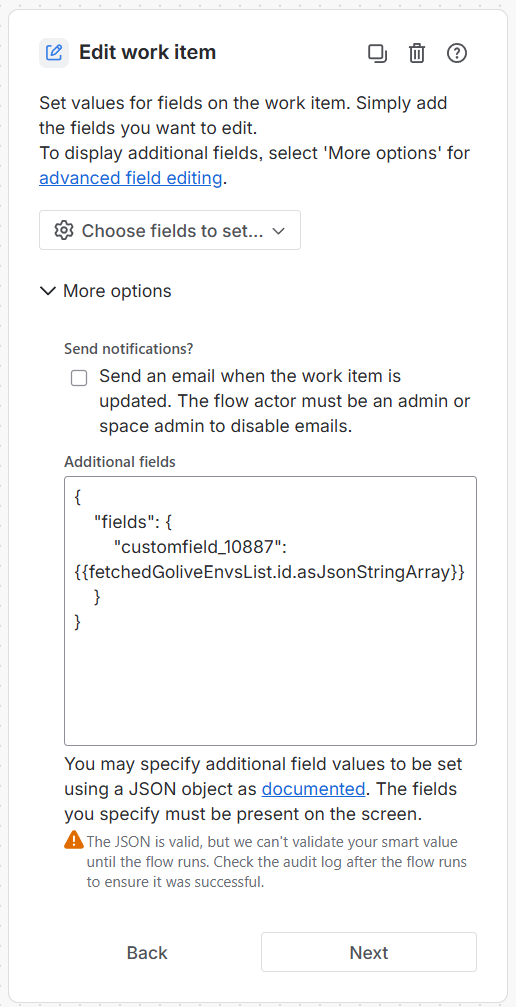
Additional fields:
{
    "fields": {
        "customfield_10887": {{fetchedGoliveEnvsList.id.asJsonStringArray}}
    }
}
Need Assistance?
For support with integrating Golive and Jira Automation, reach out to our Customer Portal.