
Golive does not support Application-level attributes. This automation keeps Environment attributes in sync across all Environments that belong to the same Application.
In this guide, you’ll learn how to use Jira Automation and Golive Automation to automatically apply changes made to an Environment attribute to all existing Environments of the same Application.
When an Environment attribute is updated in Golive, the automation:
-
Detects the change.
-
Sends the update details to Jira Automation.
-
Updates the same attribute across all related Environments.
Requirements
-
Golive Cloud installed on Jira Cloud.
-
Jira Administrator permission to manage Jira Automations.
-
Golive Administrator permission to manage Golive Automations.
Configuration Overview
This setup uses two automations that work together.
Step 1: Jira Automation
The Jira automation:
-
Receives Environment update information from Golive.
-
Checks if the updated attribute should be synched.
-
Identifies the related Application.
-
Retrieves all Environments linked to that Application.
-
Updates the selected attribute for each Environment.
Step 2: Golive Automation
The Golive automation:
-
Triggers when an Environment is updated.
-
Sends the update details to Jira Automation using a webhook.
Step 1: Create a Jira Automation Rule
Create a new Jira Automation rule with the following configuration:
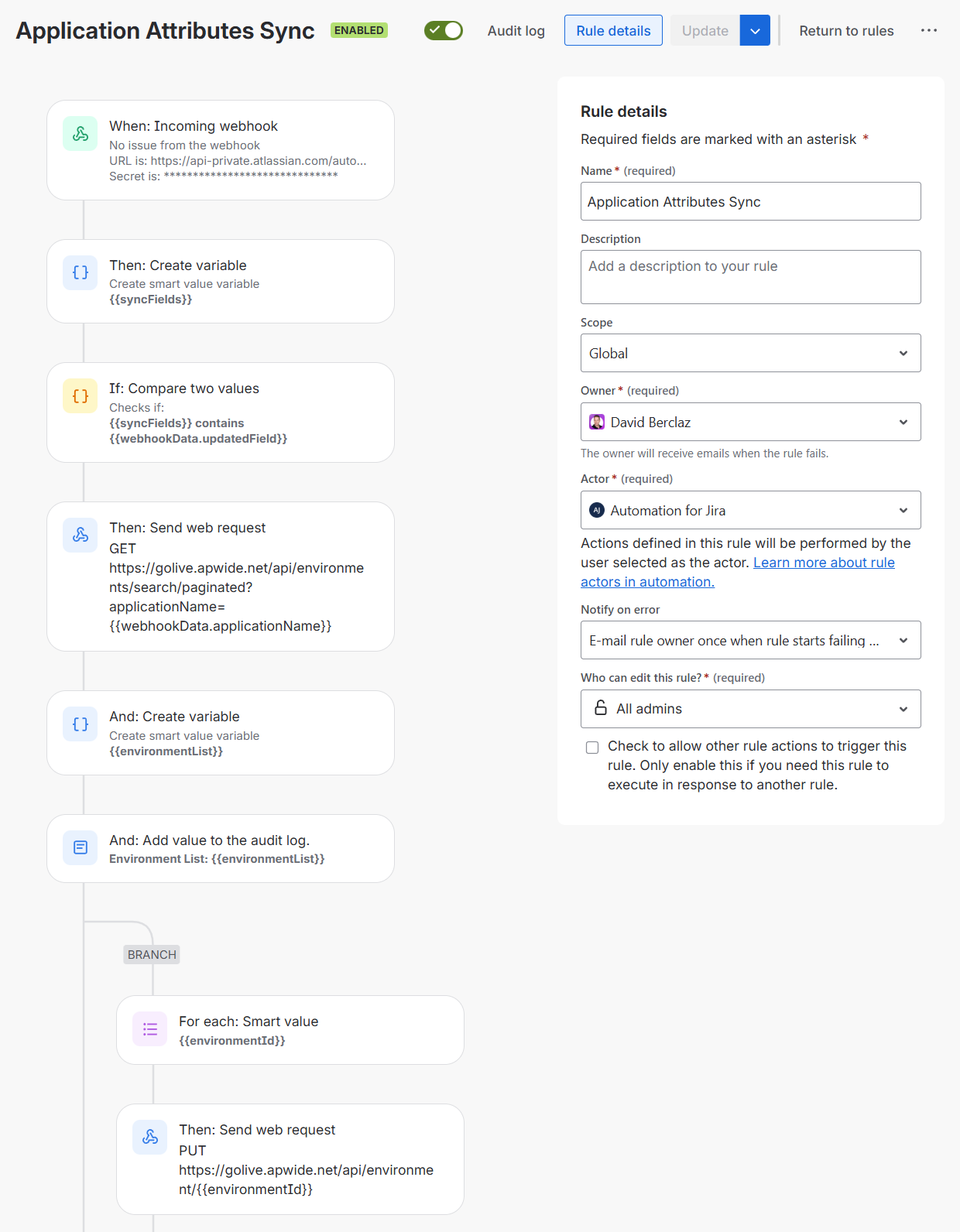
Trigger: Incoming Webhook
This rule is triggered by the Golive Automation in the Step 2.
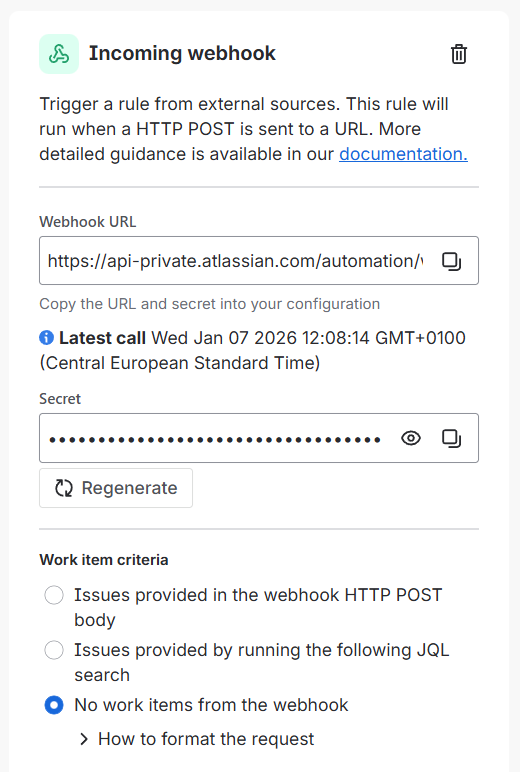
Action: Create variable
Define which attributes should be synchronized.
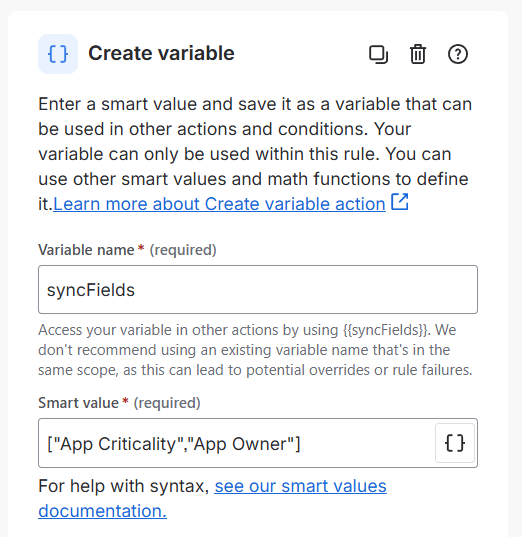
Variable name:
syncFields
Smart value:
["App Criticality","App Owner"]
This example synchronizes the App Criticality and App Owner attributes. Adjust the list as needed.
Condition: {{smart values}} condition
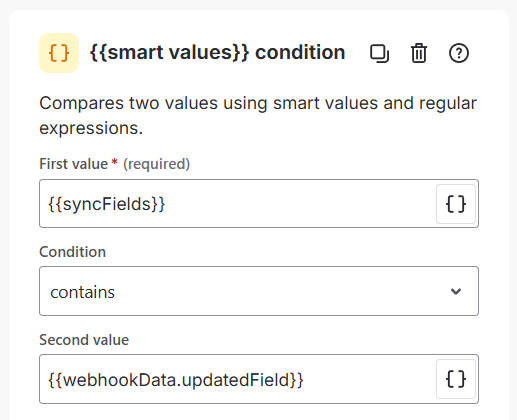
First value:
{{syncFields}}
Second value:
{{webhookData.updatedField}}
Action: Send web request
Retrieve all Environments linked to the Application.
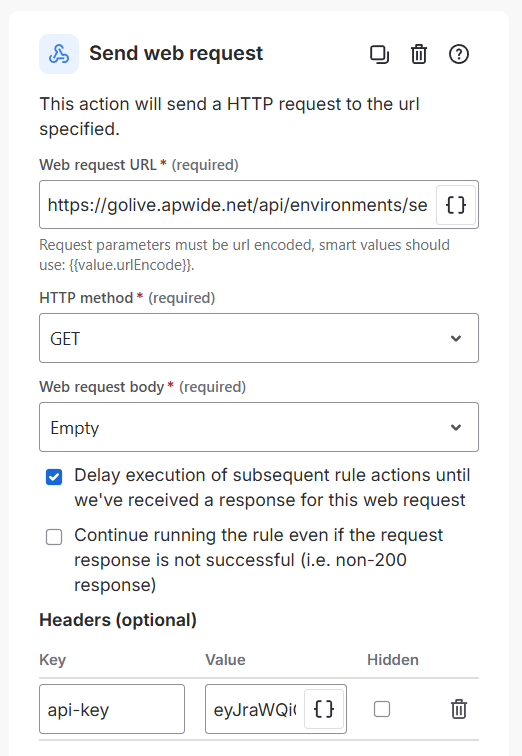
Web request URL:
https://golive.apwide.net/api/environments/search/paginated?applicationName={{webhookData.applicationName}}
HTTP method: GET
Web request body: Empty
Important
Enable Delay execution of subsequent rule actions until we've received a response.
Headers:
-
api-key: Generate a Golive API Token and paste it as the value.
Action: Create variable
Store the list of Environment IDs returned by Golive.
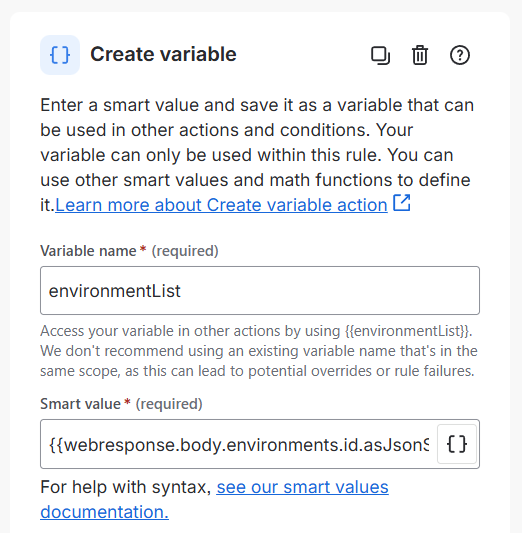
Variable name:
environmentList
Smart value:
{{webresponse.body.environments.id.asJsonStringArray}}
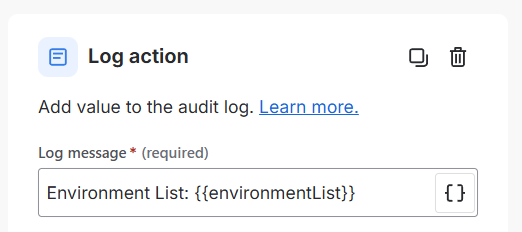
Action: Log action
Log the Environment IDs to the audit log. This helps with validation and troubleshooting.
Branch Rule: For each smart value
Use Advanced branching to update each Environment individually.
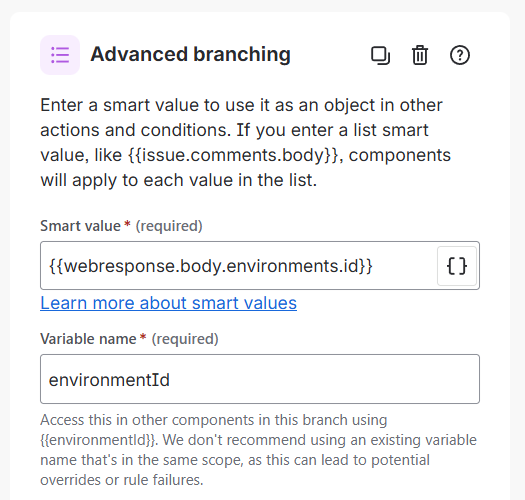
Smart value:
{{webresponse.body.environments.id}}
Variable name:
environmentId
Action: Send web request
Update the attribute for each Environment.
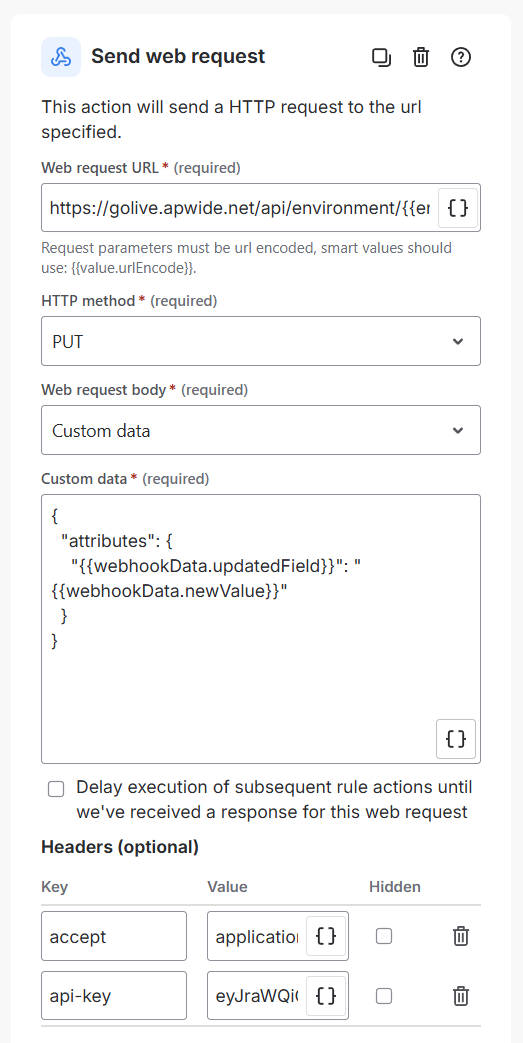
Web request URL:
https://golive.apwide.net/api/environment/{{environmentId}}
HTTP method: PUT
Web request body: Custom data
Custom data:
{
  "attributes": {
    "{{webhookData.updatedField}}": "{{webhookData.newValue}}"
  }
}
Headers:
-
accept: application/json -
api-key: Generate a Golive API Token and paste it as the value (you can use the same than above)
Step 2: Create a Golive Automation Rule
Create a new Golive Automation rule with the following configuration:
Info
For more information, refer to the Trigger Custom Webhooksdocumentation.
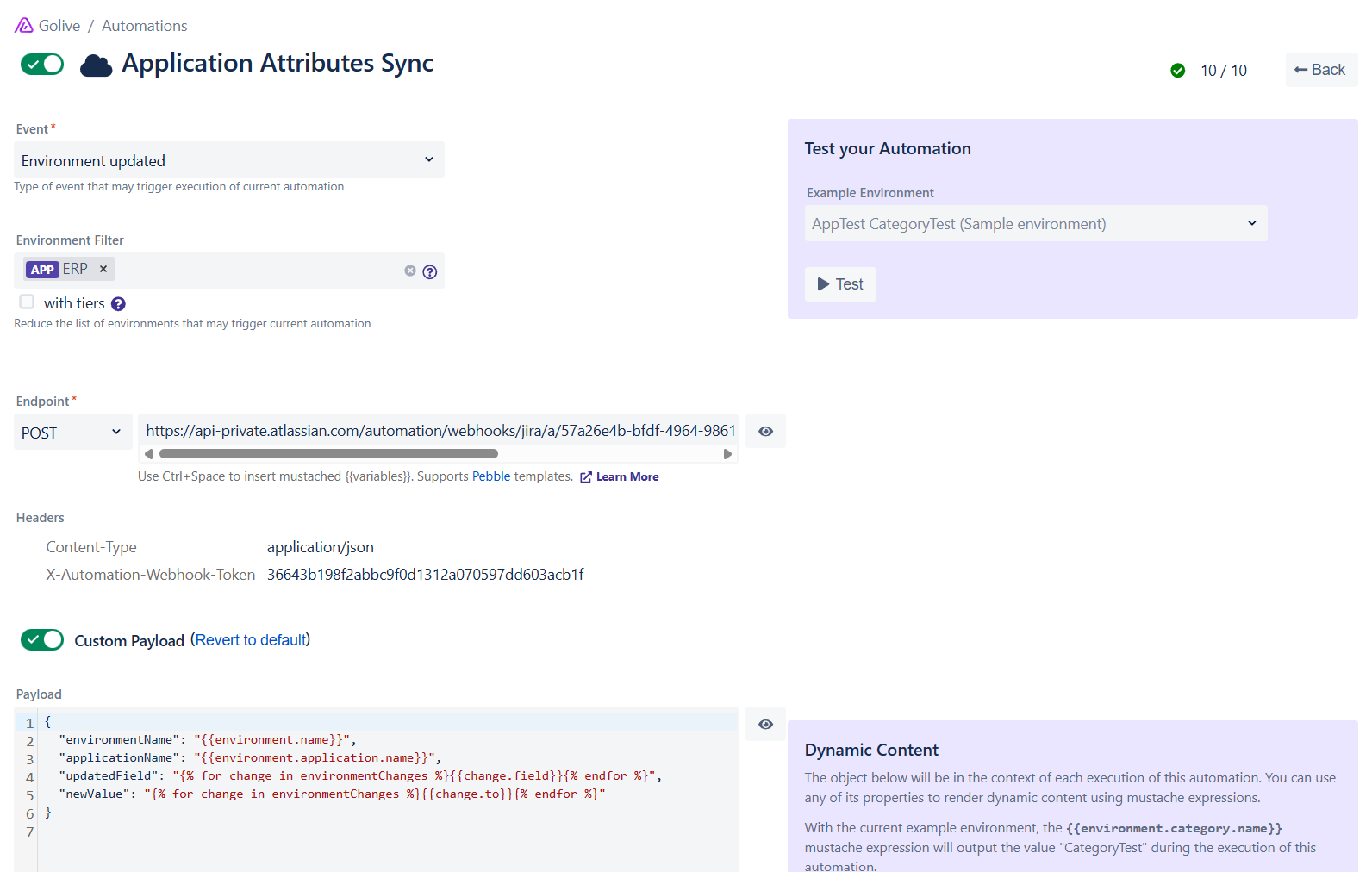
Event: Environment updated
-
Triggers when an environment is updated.
-
(Optional) Add filters to restrict it to specific Environments (e.g., only ERP).
Endpoint: POST <Jira Automation incoming webhook>
Ensure to reuse the trigger information from the Jira Automation you created in Step 1. You must add the following Headers:
Content-type:
application/json
X-Automation-Webhook-Token:
<token from your Jira Automation trigger>
Custom Payload
{
  "Environment_name": "{{environment.name}}",
  "Application_name": "{{environment.application.name}}",
  "Updated_field": "{% for change in environmentChanges %}{{change.field}}{% endfor %}",
  "New_value": "{% for change in environmentChanges %}{{change.to}}{% endfor %}"
}
Need Assistance?
For support with integrating Golive and Jira Automation, reach out to our Customer Portal.