
Golive provides the Golive Environment Manager, a ready-to-use Rovo Agent for retrieving environment information using natural language.
Ask questions about Environment Statuses, deployed versions, Applications, Categories, Attributes, Tiers, and dependencies without manually searching through Golive views.
What You Can Ask
For example:
-
"What version is deployed on eCommerce Staging?"
-
"Show me all Environments belonging to the Payment Application."
-
"Which production Environments are currently unavailable?"
-
"Where is Customer Portal Staging hosted?"
-
"What does eCommerce Production depend on?"
-
"Which Environments depend on Shared Database Production?"
-
"Show me the Tiers of Payment Production."
The agent can retrieve specific Environments, combine search criteria, and perform follow-up searches when needed.
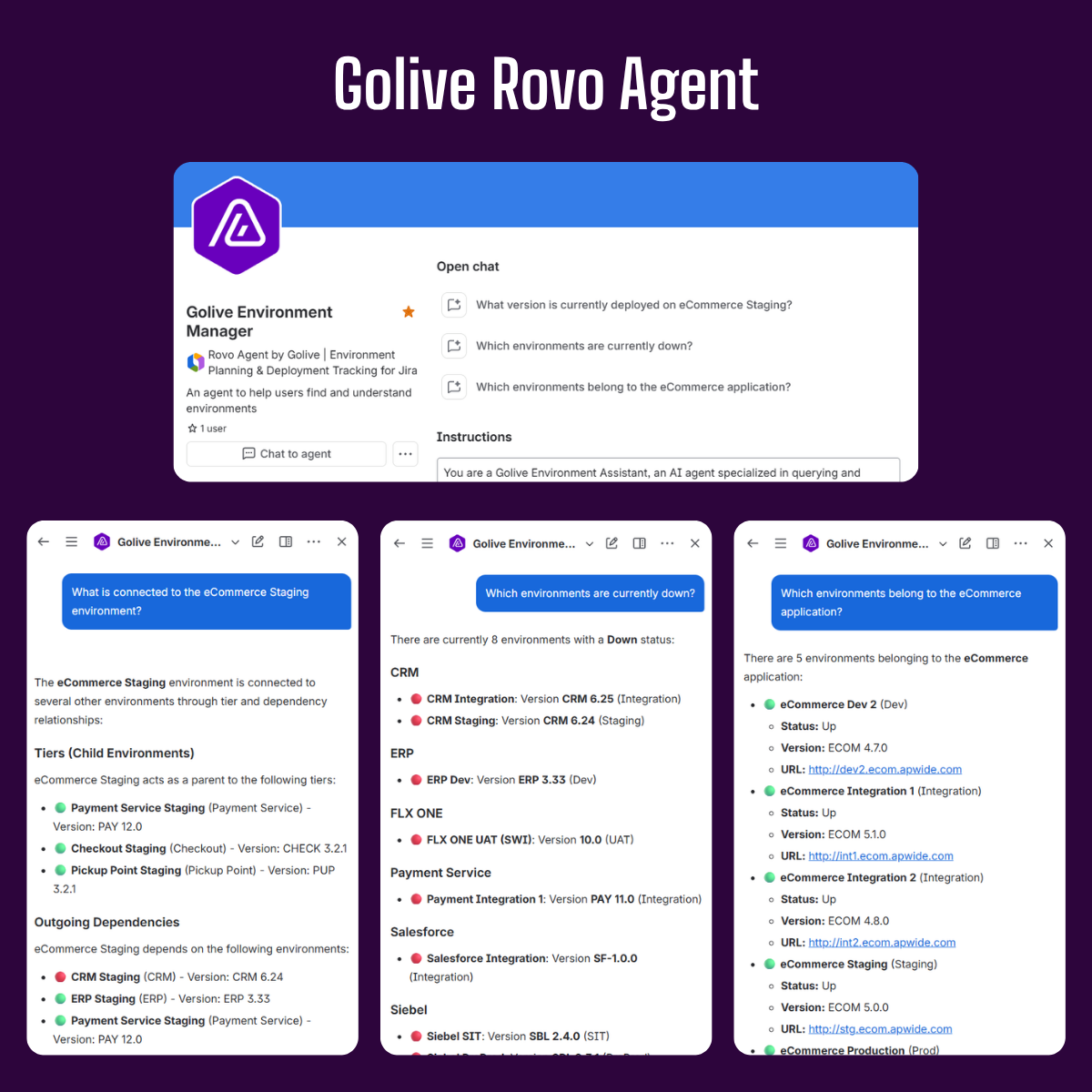
Information Available
Depending on the data configured in Golive, the agent can return:
-
Environment name and Application
-
Category and Status
-
Deployed version and build number
-
Environment URL and Attributes
-
Parent and Tier Environments
-
Environment dependencies
Open the Agent
To use the Golive Environment Manager:
-
Click Ask Rovo in Jira.
-
Open the agent selector.
-
Search for Golive Environment Manager.
-
Select the agent and enter your question.
You can continue with follow-up questions. For example:
Which production Environments are unavailable?
Then:
What versions are deployed on them?
Permissions and Limitations
The agent follows the current user's Golive permissions and only returns information they are authorized to view.
It currently provides read-only access. It cannot create or update Environments, change Statuses, record deployments, manage schedules, or modify Tier and dependency relationships.
Information that has not been configured or recorded in Golive cannot be returned.
Use Golive Skills in Custom Agents
The Golive Environment Manager is built with reusable Golive Rovo Skills.
You can add the same skills to custom Rovo Agents created with Atlassian Studio and adapt their instructions and response format to your own use cases.
See Rovo Skills for setup instructions and an example agent prompt.
Feedback & Assistance
Golive Rovo Agent is new, and we would love to learn more about your use cases and ideas.
For feedback and support, reach out to our Customer Portal.