
Version 3.22 released on July 30, 2026
Version 4.0 released on August 4, 2026
Action Required
The version 4.0 needs new Rovo permissions and requires manual approval. To complete the upgrade, a Jira Administrator must go to Manage apps and click Update.
New Features
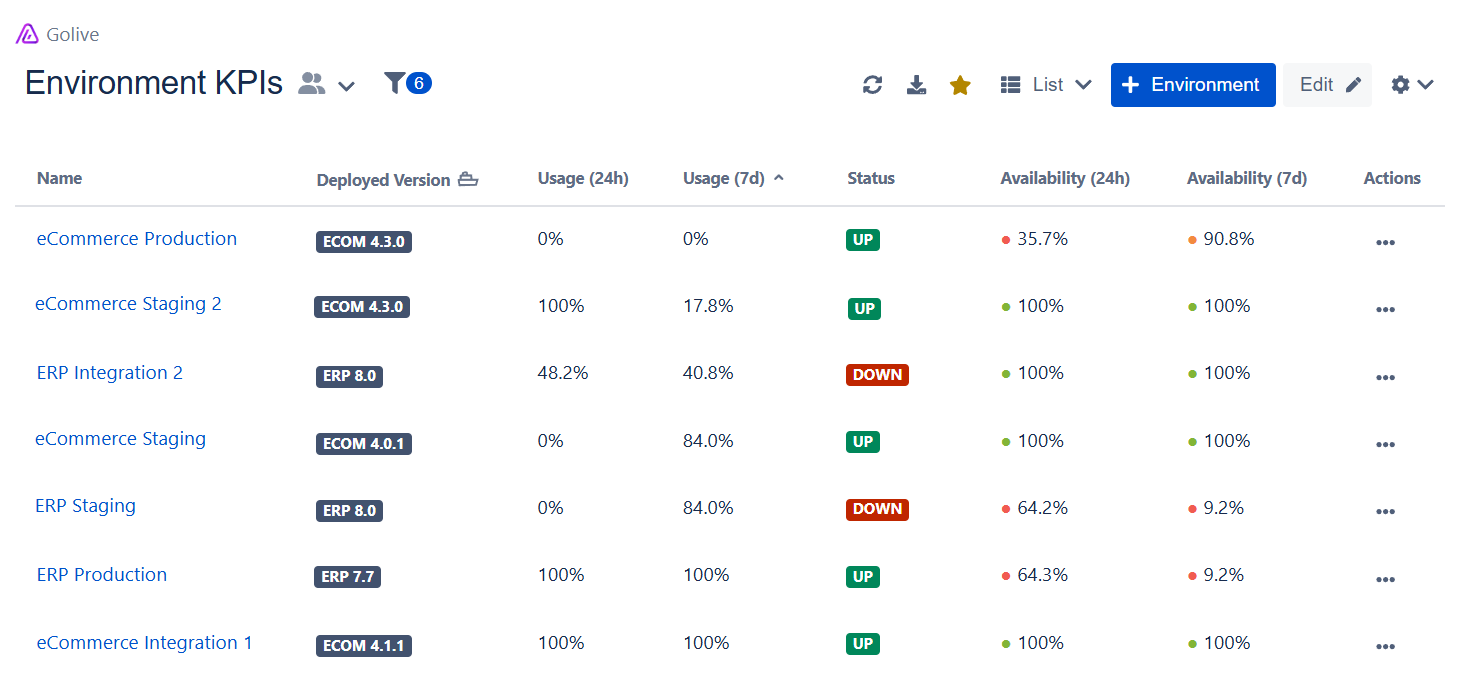
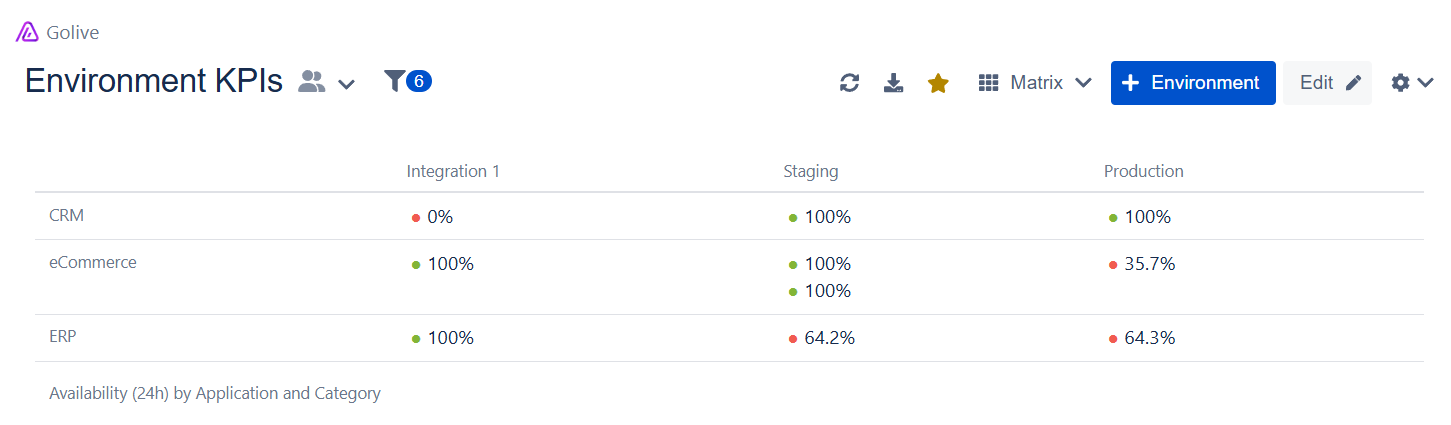
KPIs in List and Matrix Views
Environment KPIs can now be displayed directly in your Golive views:
-
As columns in List Views
-
As labels in Matrix Views
This makes it easier to compare environments and identify availability or usage patterns without opening each environment individually.
KPI results are cached for one hour. When a KPI is displayed, Golive automatically recalculates it if the previous calculation is more than one hour old. KPIs may also be recalculated when Golive performs a conflict check for environment scheduling.
Learn more about Environment KPI
Disable Golive Automations
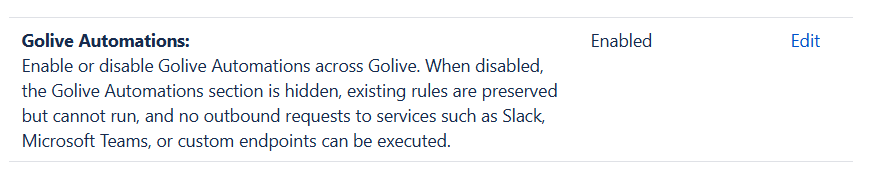
Jira administrators can now enable or disable Golive Automations for the entire Jira site from Golive Settings → Security Settings.
When Golive Automations are disabled, users can no longer access or execute automation rules. This gives organizations greater control over automations that may interact with external services through web requests, custom URLs, headers or payloads.
Security Settings are restricted to Jira administrators. The Golive Administrator permission alone does not provide access to these settings.
Learn more about Security Settings
Rovo Agent & Rovo Skills
A new Golive Environment Manager Rovo Agent is now available to help users retrieve useful environment information using natural language.
For example, users can ask:
-
"What version is currently deployed on eCommerce Staging?"
-
"Which production environments are unavailable?"
-
"Show me all staging environments for the Payment application."
-
"What does eCommerce Production depend on?"
-
"Show me the tiers of Payment Production."
-
"Where is Customer Portal Staging hosted?"
The agent can search by name, application, category, status, attributes, tiers, and dependencies, and combine multiple searches when needed.
Learn more about the Golive Rovo Agent
Three Golive Rovo Skills are also available for use in custom Rovo Agents created with Atlassian Studio:
-
Find Golive Environments
-
Get Golive Environments by id
-
Get Golive Environments by name
These skills let custom agents retrieve current environment information from Golive and combine it with other Rovo capabilities and data sources.
Learn more about the Golive Rovo Skills
Improvements
Auto-create missing versions across Jira spaces
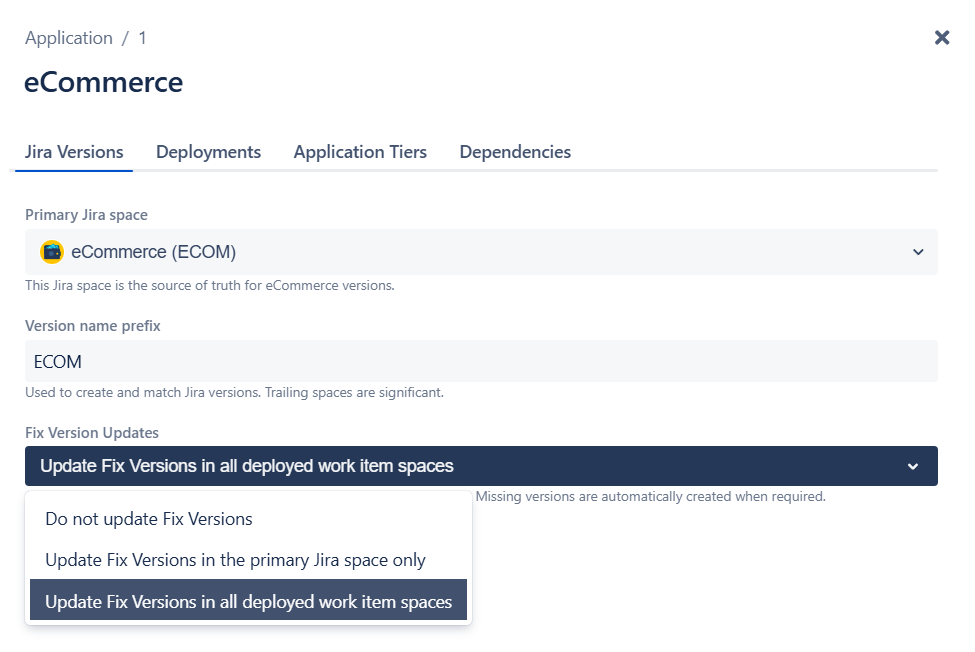
We have redesigned the Jira Versions tab in the application configuration.
When a primary Jira space is configured, Golive now always creates missing deployed versions in that space, provided the user has permission to create versions. This also applies when the deployment does not reference any work item from the primary space.
You can also choose how Golive updates the Fix Versions field of Jira work items included in a deployment:
-
Do not update Fix Versions
-
Update Fix Versions in the primary Jira space only
-
Update Fix Versions in all deployed work item spaces
With the third option, Golive also creates a missing version in another Jira space when:
-
The deployment references at least one work item from that space
-
The user has permission to create versions in that space
Jira’s dedicated Manage Versions permission can be granted to users without making them space administrators.
Learn more about Managing Applications
The Synchronized Jira Spaces setting is now deprecated. Use Jira Automation when versions need to be synchronized with additional spaces independently of the work items included in a deployment.
Learn how to synchronize Jira versions with Automation
Existing configurations will continue to work until October 30, 2026. Once all values are removed from the deprecated field, it will disappear and cannot be configured again.
Filter suggestions order
Filter suggestions are now ordered based on the options customers use most frequently. Common filters such as Application, Category and Status now appear before less frequently used options, such as tiers, dependencies, or permission schemes.
Jira working hours retrieved automatically
The Jira working hours per day option has been removed from Golive Advanced Settings, as Golive can now retrieve this setting directly from Jira.
If the values previously configured in Golive and Jira were different, you may notice changes in duration fields such as estimates and time spent.
Bug Fixes
-
Fixed an issue that prevented users from selecting multiple environments when rescheduling an event from a Scheduling Calendar, even when the environment custom field was configured to allow multiple selections.
We appreciate your feedback and thank you for your continued support.
Give feedback · Get support · Request a feature