
Released on June 23, 2026 | Golive Marketplace Listing | Version History
New Features
Application Custom Fields
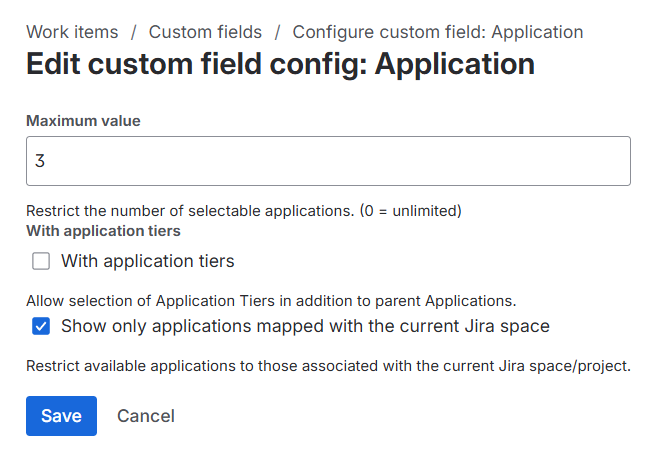
The new Application Custom Field allows users to select one or more Golive Applications directly from a Jira work item. You can configure the field to display all Applications or only those associated with the current Jira space.
Learn more about Application Custom Fields
Category Custom Fields
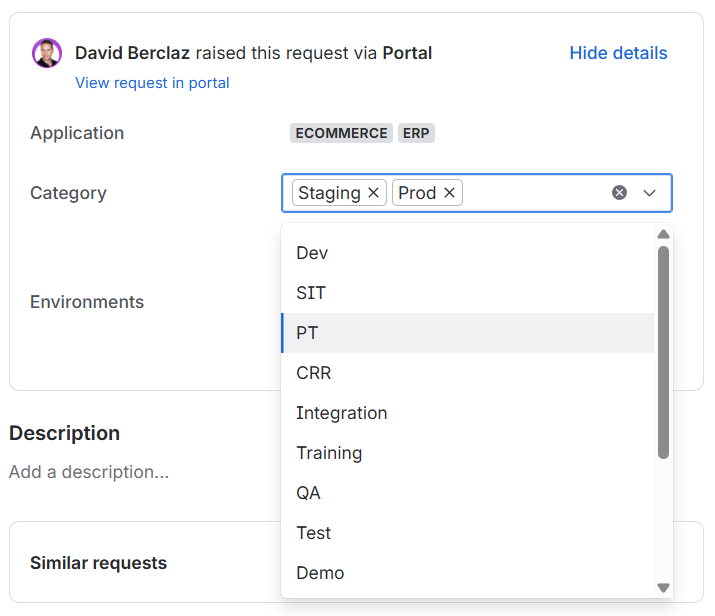
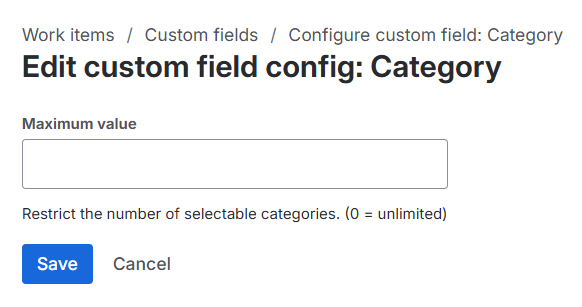
The new Category Custom Field allows users to select one or more Golive Categories directly from a Jira work item.
The selected Categories can then be used in Jira Automation rules. For example, a request could automatically book all environments belonging to a selected category.
Learn more about Category Custom Fields
Improvements
-
Enhanced Environment filtering - Environment filtering criteria can now contain multiple
categoryIdorapplicationIdvalues, separated by commas. This improvement makes it easier to create Jira Automation rules using the new Application and Category Custom Fields. For example, you can Populate Environments from Application + Category fields. -
Connect cleanup - We have fully removed the remaining legacy Connect code from the Custom Fields screen. It now displays only the new Forge Custom Fields.
-
Jira field schemes compatibility - Compatibility with the recent Jira field configuration improvements.
Bug Fixes
-
Fixed an issue where Jira versions were not automatically created in synchronized Jira spaces when the version already existed in the primary Jira space.
-
Fixed an issue where a dot appeared over cloud icons when the Event Display option was set to Dot, in Deployment Logs Calendars.
We appreciate your feedback and thank you for your continued support.
Give feedback · Get support · Request a feature