
Released on March 24, 2026 | Golive Marketplace Listing | Version History
New Features
Golive Custom Field Improvements
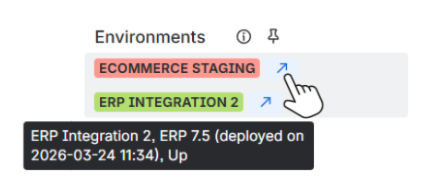
We have improved the Golive custom fields to provide clearer and more accessible deployment information.
-
Tooltip displaying key environment details (Environment name, Last deployed version, Last deployment date and time, Status).
-
Button to open the Environment details in a new tab. Due to Jira limitations, the Environment cannot currently be opened in a dialog on the same page.
Golive Jira Automation Actions
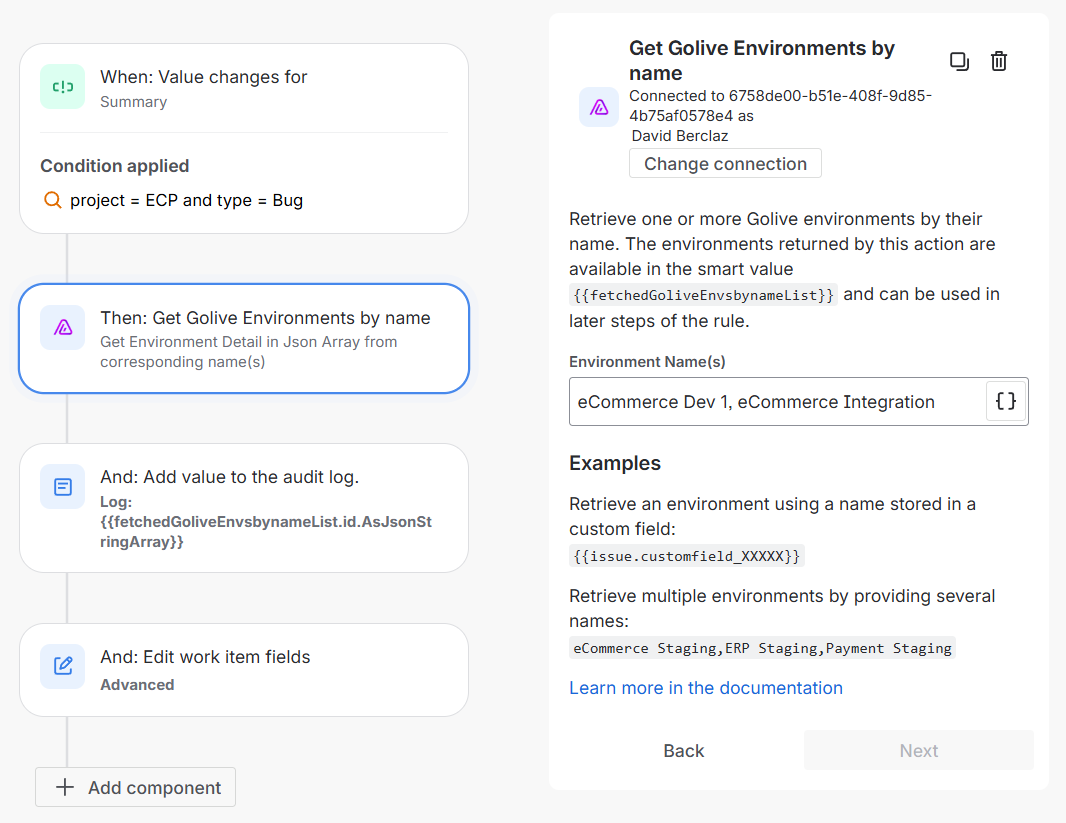
We have introduced three new Jira Automation actions to help you retrieve Golive environments and use them in your automation rules.
-
Find Golive Environments
Retrieve environments based on search criteria such as application, category, status, or attribute values. -
Get Golive Environments by ID
Retrieve one or more environments using their IDs. -
Get Golive Environments by Name
Retrieve one or more environments using their names.
Learn more about Golive Jira Automation Actions
List View Selective Export
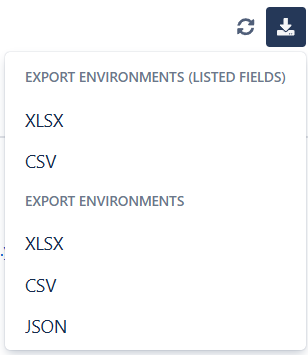
You can now export only the columns currently visible in your List Views.
-
Export environments using the listed fields only.
-
Choose between XLSX and CSV formats.
Environment Search: Tier and Dependency Criteria
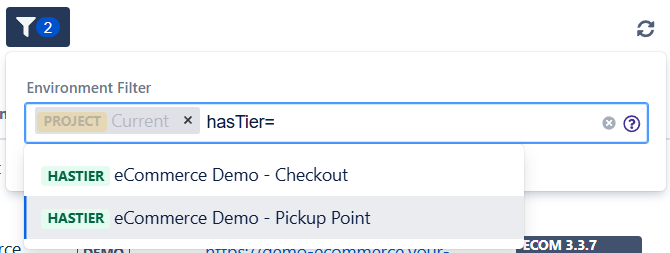
We have added new search criteria to help you filter environments based on their tiers and dependencies.
-
hasTier=
Find environments that include a specific environment tier. -
tierOf=
Find environments that are tiers of a specific environment. -
dependsOn=
Find environments that depend on a specific environment. -
dependencyOf=
Find environments that are dependencies of a specific environment.
Learn more about searching Environments
Improvements
-
Renamed the Create Environment page to Create Environment Tier when creating a tier environment to improve clarity.
Bug Fixes
-
Fixed issues where clicking tiers or dependencies from the Environment details or breadcrumb did not open them in the current dialog.
-
Fixed an issue where Golive Automation linked and unlinked issue triggers did not work correctly with the new Golive custom fields.
-
Fixed an issue where the usage KPI was incorrectly calculated with the new Golive custom fields.
We appreciate your feedback and thank you for your continued support.
Give feedback · Get support · Request a feature