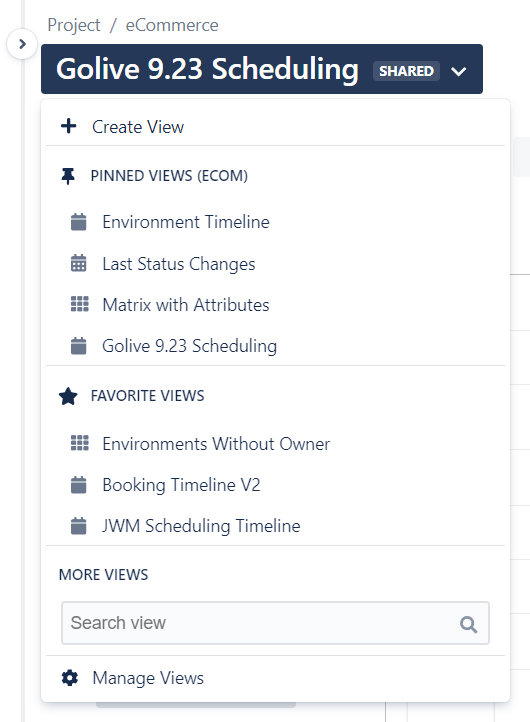
The View Browser provides access to all Golive Views, organized into sections:
-
Create View: Click this button to add a new View.
-
Pinned Views: List of global pinned views (when you are on the Golive Global Page) or project pinned views (when you are on a Golive Project Page)
-
Favorite Views: Views marked as favorites for quick access.
-
More Views: Use the search bar to search for specific Views.
-
Manage Views: Click this button to access the Manage Views page.
To open the View Browser, click the View title. Within the View Browser, Golive views are presented in the aforementioned sections: