
Released on May 3rd, 2023 | Golive Marketplace Listing | Version History
New Features
Environment Dependencies
-
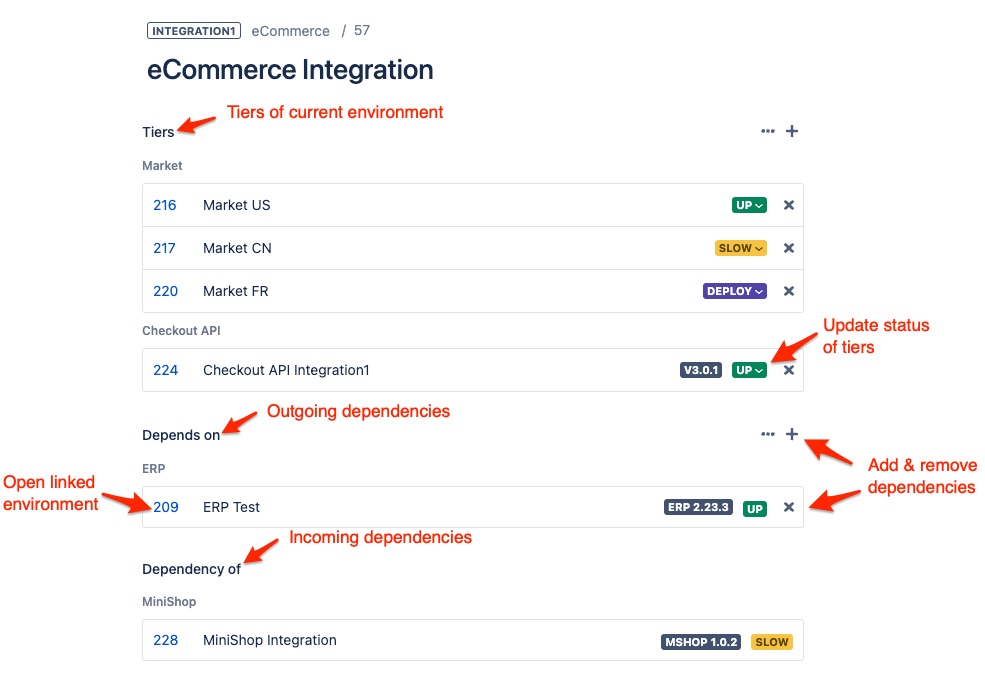
Define dependencies between your applications to link environments to each other.
-
View and manage all outgoing and incoming dependencies in the environment details panel.
-
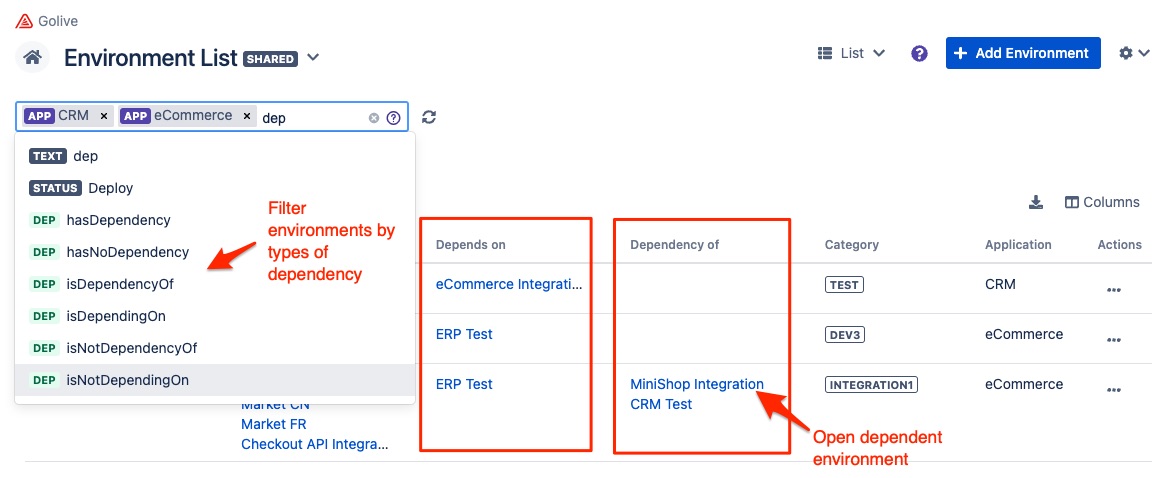
Browse and filter dependent environments in environment list and matrix views.
-
Use the REST API to import and keep your dependencies up to date.
Learn more here: Environment Dependencies
Multi-tier Environments
-
The must-have feature to deal with environments composed of multiple components having their own statuses and deployment lifecycles!
-
You can now create Tiers that are sub-environments of a parent environment (equivalent to the issue ↔︎ subtasks relationship in Jira).
-
Get rid of trade-offs and convert your existing multi tiers, multi tenants, multi markets,… applications into multi tiers applications.
Learn more here: Multi-tier Environments
Sync Jira Releases and track deployment of Jira Issues
-
Enable bi-directional synchronization of Jira Versions and their “fixed in” issues:
-
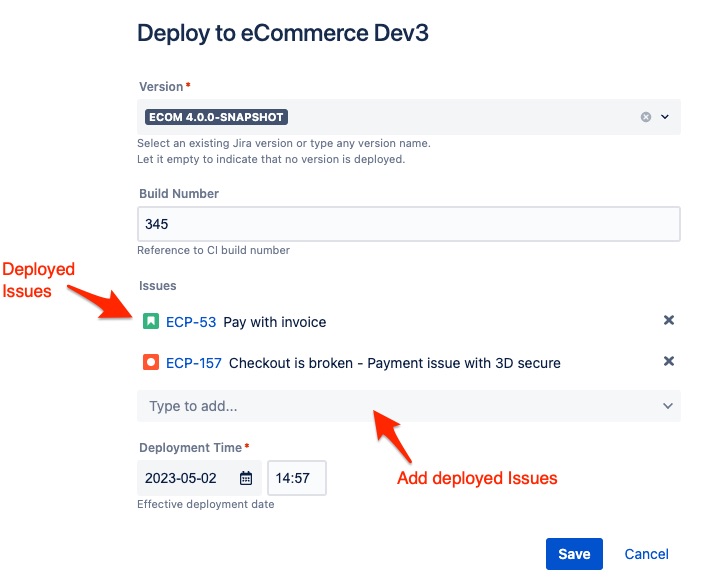
New issues added to a Golive deployment are automatically added to its linked Jira version
-
When deploying a Jira version, its “Done” issues are automatically proposed to be added to the new deployment
-
-
Use Golive UI, REST API, Jenkins shared lib or Jira automations to track deployments of Jira tickets.
-
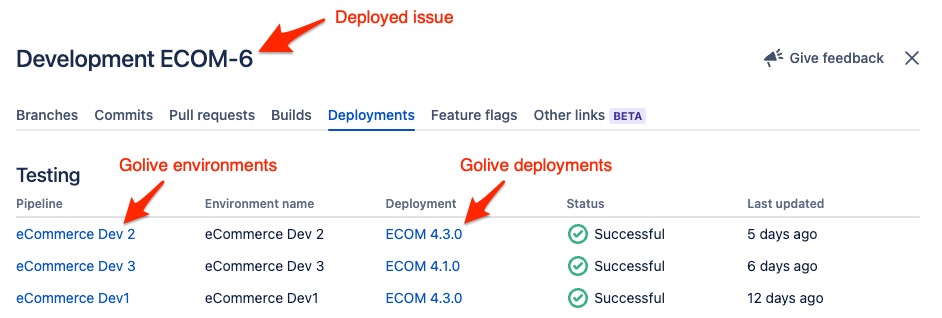
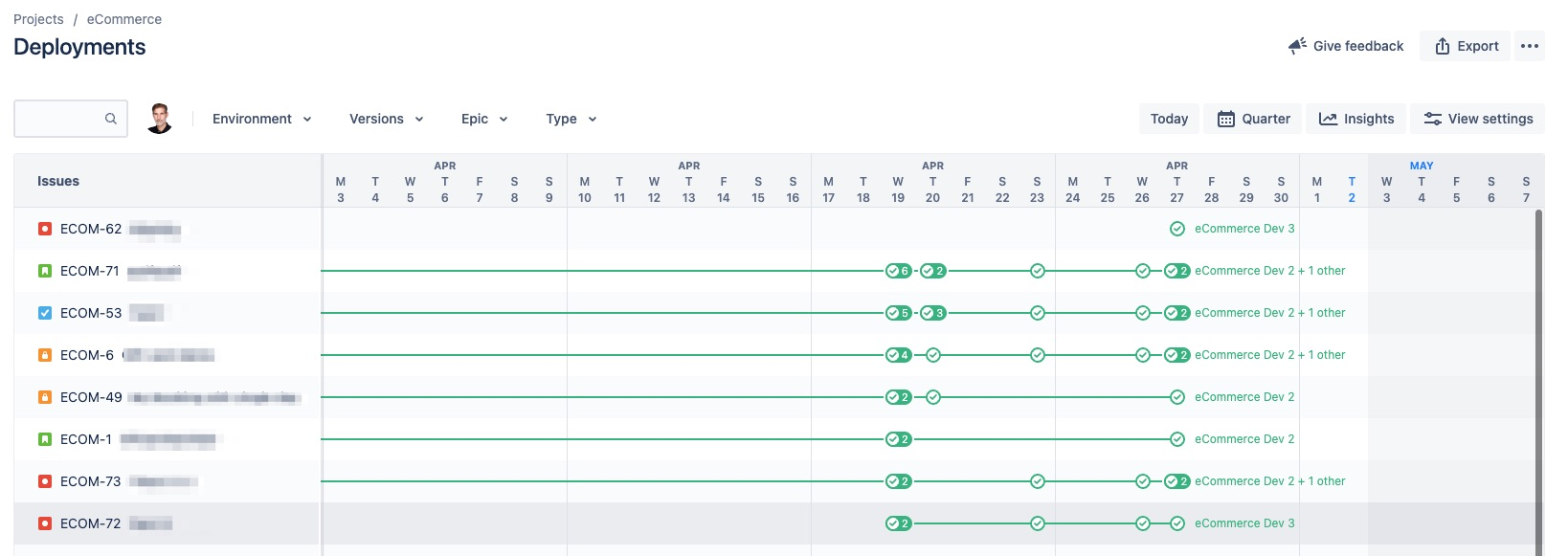
For Jira Software Cloud users: Golive deployments are now automatically pushed to Jira Software Deployments!
Learn more here: Manage Deployments
Fixed Bugs & Improvements
-
Simplify the creation of new environment custom fields (Cloud)
-
Re-organize application settings into tabs
-
Add titles to search criteria to describe their effect
-
The Environment Search filter is back on Last Deployments / Last Status views
-
Deployment wrongly set when creating a deployment with drag and drop in a timeline
-
Loading arrows are rotating when environments are loading
-
Should not allow search on secured attributes
-
Lozenges in environment filters are now vertically centered
Highlights
Manage Dependencies and Tiers of your Environments
Easily manage and browse dependencies and tiers of an environment:
-
Learn more about dependencies here: Environment Dependencies
-
Learn more about tiers here: Multi-tier Environments
Browse and search for dependent environments
Filter, sort and view dependencies in your environment list views:
Deployed Jira Issues
Add Jira issues to a new deployment:
View deployed issues in environment deployment logs:
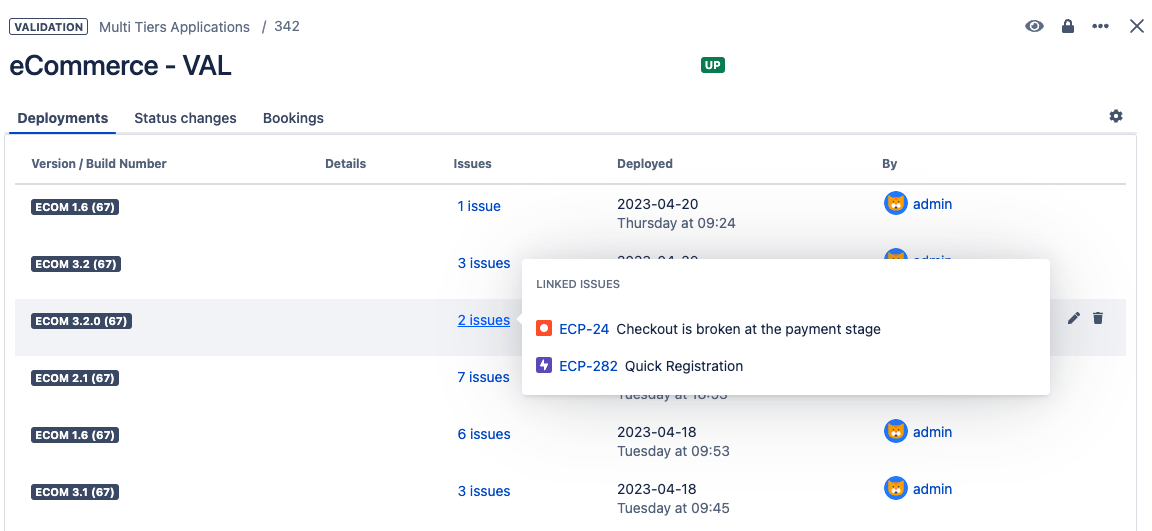
Learn more here: Manage Deployments
Jira Software Cloud Deployments Integration
View Golive deployments in Development panels of an Issue:
View Golive deployments in the Jira Deployments timeline:
Learn more here: Jira Software Cloud Deployments