Version 9.1 released on June 27th, 2022 Golive Marketplace Listing | Version History
Before upgrading from Golive 8 to Golive 9
Golive 9 contains major changes and improvements, we recommend to validate the upgrade to Golive 9 on a testing environment before going to production. Perform a backup of your database before upgrading your production server. In case you need to rollback the upgrade to Golive 9, restore the database first.
New Features
-
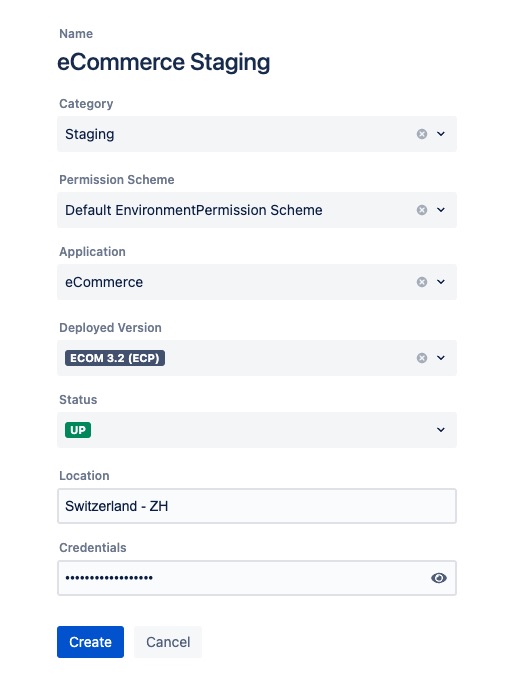
New environment creation wizard: the number of steps and clicks to create environments, pre-configured applications and categories have been drastically reduced!
-
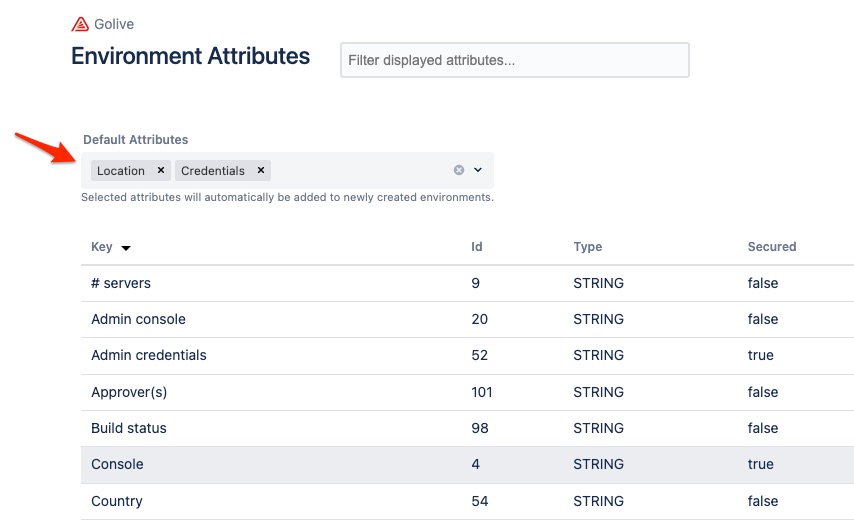
Default environment attributes: standardize the structure of your environments by defining a set of default attributes that will be automatically added to newly created environments.
-
-
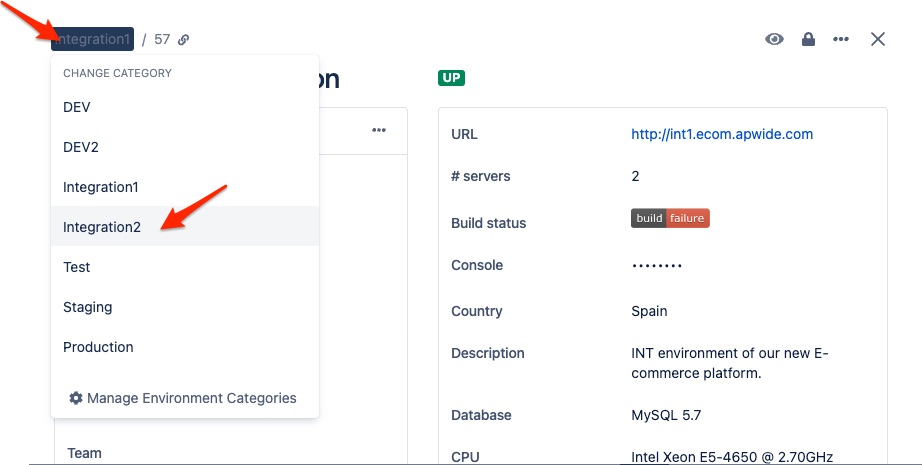
Change category of existing environments: it was not anymore possible to edit the category of an existing environment in Golive 9.0.x. It is now possible again: just click on the category of your environments to change it!
Other Improvements
-
Wider dialog to display environment information on wide screens
-
Descriptions of deployment and scheduled events are not anymore limited in size
-
New shortcut to "Delete Current Deployment" from the deployment menu
-
New shortcut to change the settings of current application when putting mouse over its name
-
New shortcut to "Manage Statuses" and “Manage Categories” when updating the status or the category of current environment
Deprecation notice
The deprecated legacy Timeline gadgets are not supported anymore by Golive 9. They must be migrated to the latest generation of Timeline gadget.
New Environment Wizard
Step by step wizard to create new categories, new applications and configure new environments on the fly.
Default Environment Attributes
Define an ordered list of default attributes that users will be able to set each time they create a new environment:
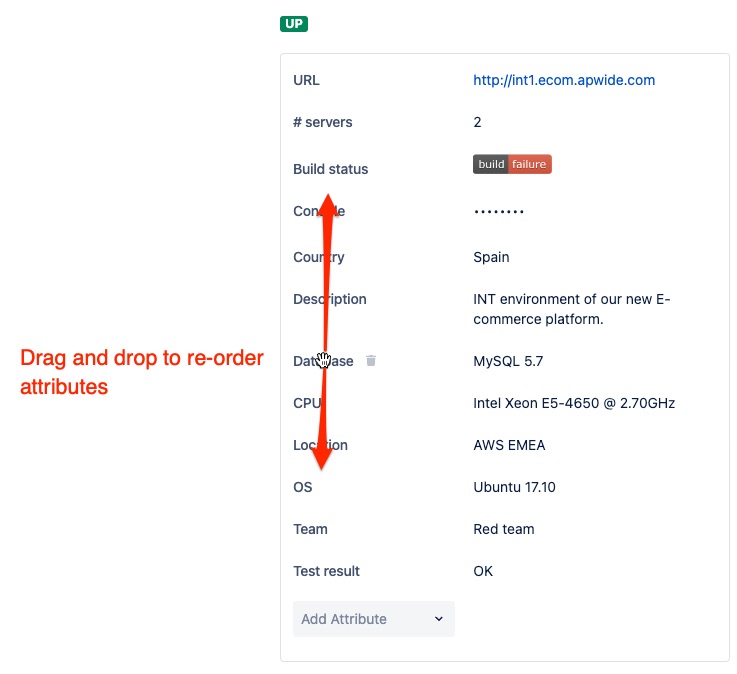
Re-order Environment Attributes
Re-arrange attributes using drag and drop:
Change the category of an existing environment