
This integration allows you to automatically move a version to the next stage in your Release Management (RM) board, when a deployment is added to Golive. It helps keep your release tracking accurate and in sync with real deployment events, without manual updates.
Requirements
-
You must be using Golive on Jira Data Center.
-
Ensure that Release Management is installed and properly configured.
How it Works
-
A deployment is added to Golive (either manually automatically via CI/CD integration).
-
Golive triggers a Webhook that moves the corresponding RM version to the next column in the RM board.
Configuration
Set up a Webhook in Golive. This will trigger a Jira Automation rule when an RM version transitions.
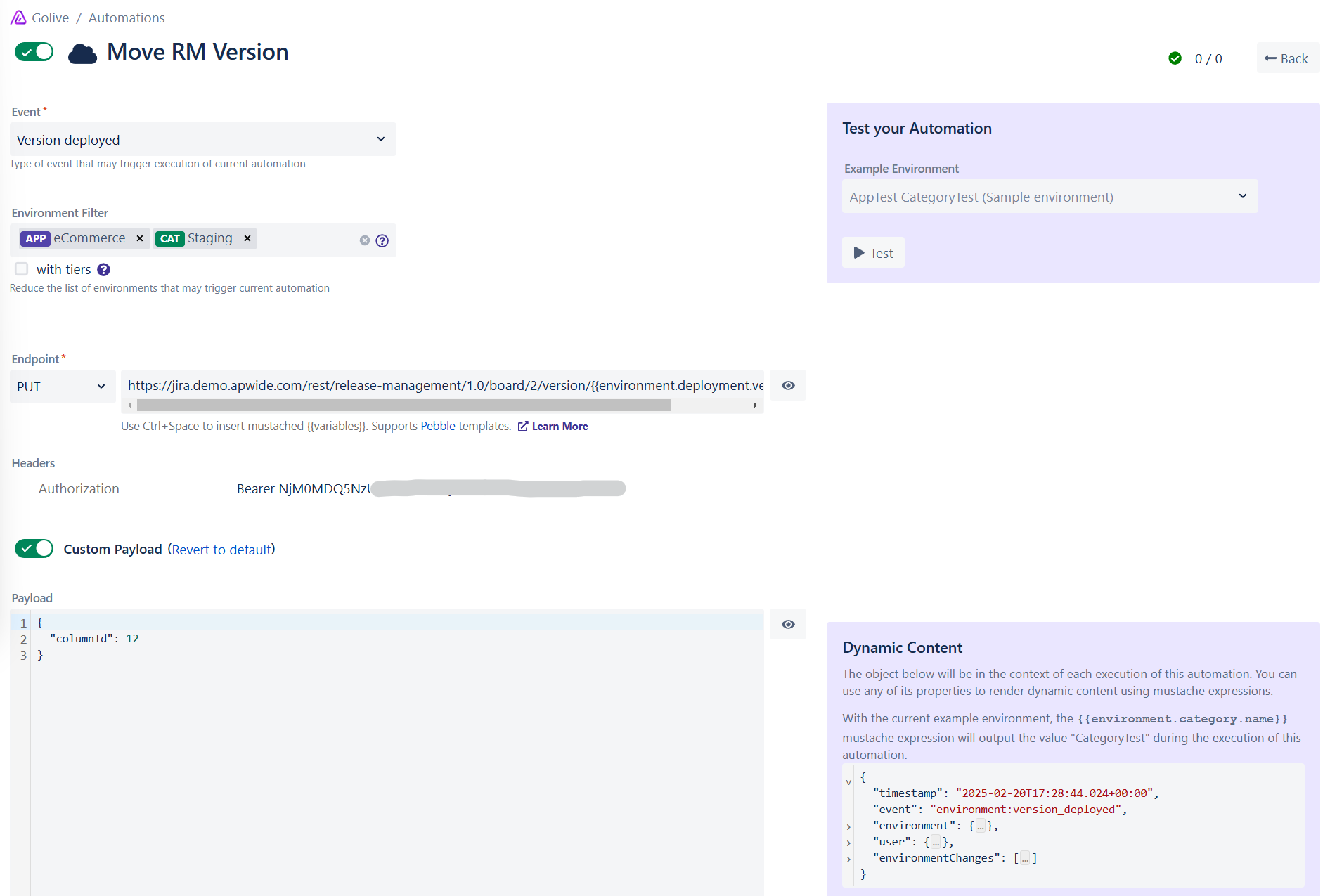
Webhook Configuration
Method: PUT
https://<your-jira-instance>/rest/release-management/1.0/board/<rm-board-id>/version/{{environment.deployment.versionId}}/move
Replace:
-
<your-jira-instance>with your Jira URL. -
<rm-board-id>with your RM board ID, found on your RM board URL.
Headers:
Add an Authorization header with the value Bearer <rm-token> .
Authorization: Bearer <rm-token>
Make sure there is a space between Bearer and your RM token. Refer to the RM token documentation for instructions on generating a token.
Custom Payload:
{
  "columnId": <rm-column-id>
}
Replace the <rm-column-id> with the RM board column ID. You can retrieve this by running: GET /board/<board-id> in the RM RestAPI.
Locate the versionColumns section in the API response.
Questions?
If you need help with your Golive-Release Management integration, feel free to contact us.