
Basic Search
Given that you use the "Detected In" Environment Custom Fields to know on which Environments your teams detect new Issues, you can easily search Issues based on their detection environments:
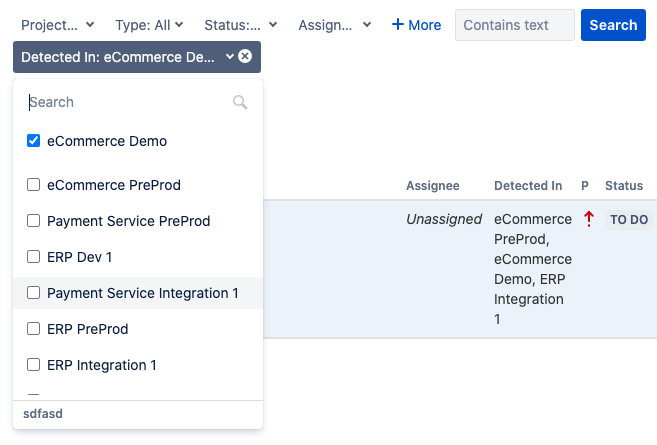
You can create multiple Environment Custom Fields (ex: Detected In, Reproduced In, Booked Environments,...) and combine criteria on multiple fields in the same Issue Search.
Advanced JQL Search
Switching to Advanced JQL Search, gives you even more flexibility. You can search Issues that were Detected In Environments (same as in Basic Search) but also in Applications and Categories.
On top of that, JQL gives you also the possibility to use '?' and '*' wildcards in your search queries.
Search by Categories
Examples of JQL Issues Search based on Environment Categories:

Search by Applications
Examples of JQL Issues Search based on Environment Applications:

You can combine filters on both Categories and Applications.