
Thanks to the Golive Spider Map view, it is easy to grasp and visualize dependencies and tiers of an environment.
Open the Spider Map view
-
open details of an environment
-
click the “Map” button on top right:
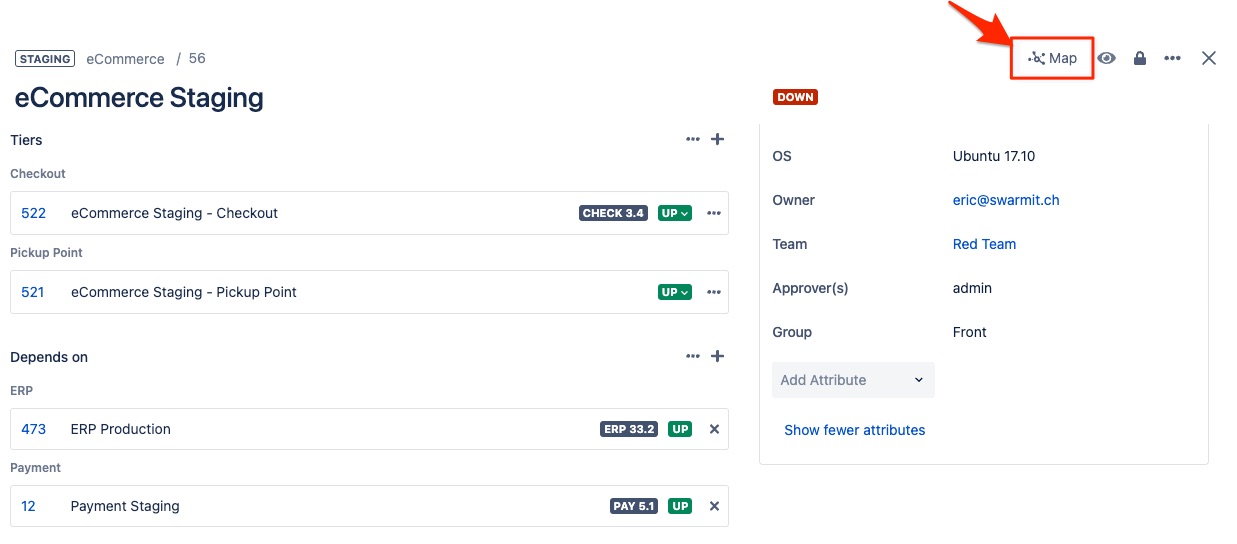
The “Map” button will only be visible if current environment has at least 1 dependency or tier
Browse the linked environments
Example of “Spider Map”:
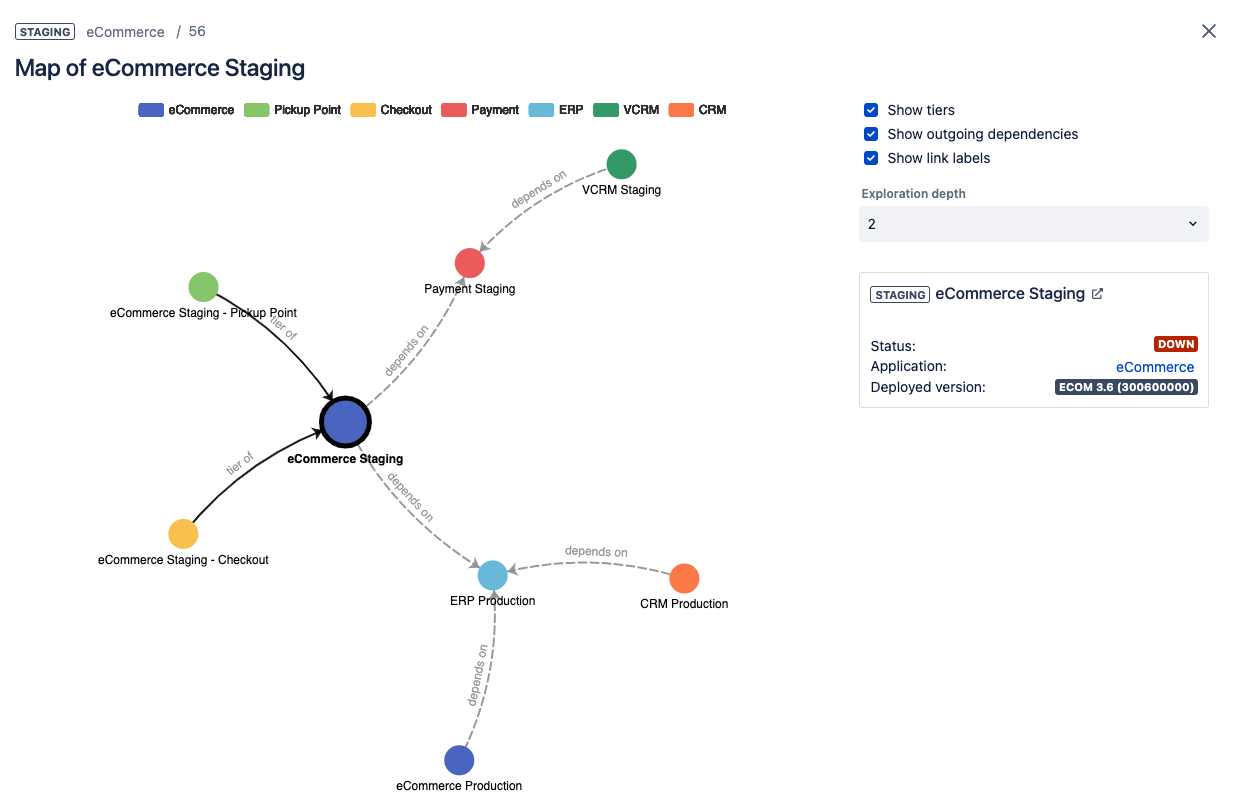
Play with the different options on top right in order to display more or less information.
You can also click on colored squares on top in order to show/hide environments of given applications.
Rounded nodes represent environments. Click a node or a link in order to display its details.
The biggest node represents the current environment, you can change the current environment by double clicking a node. The graph will be automatically re-arranged and centered around the new “current” environment.
You can drag nodes, zoom in / out or move the whole graph in order improve the desired visualization.